Try it on the wall before anyone else.
Design Wall is a quilt design app for iPad, iPhone and Mac, and it's nearly ready. We're looking for quilters to plan a real quilt in it and tell us, honestly, what gets in the way.
We'll only email you about the beta. Unsubscribe any time.
A first look
Step back without stepping back.
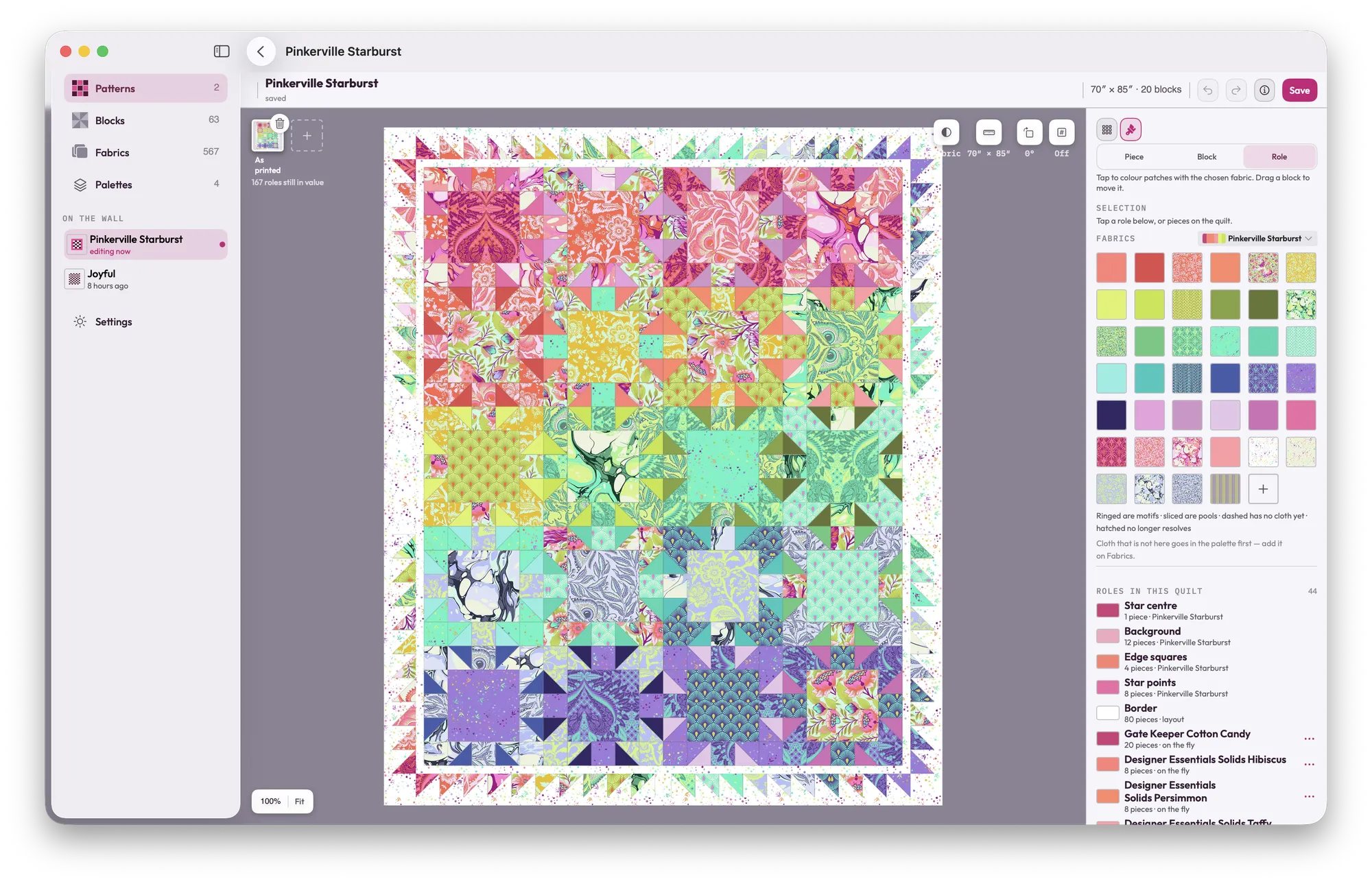
Drop the color out and you can finally see the lights, mediums and darks doing their job. Same as squinting from across the room, minus the room.
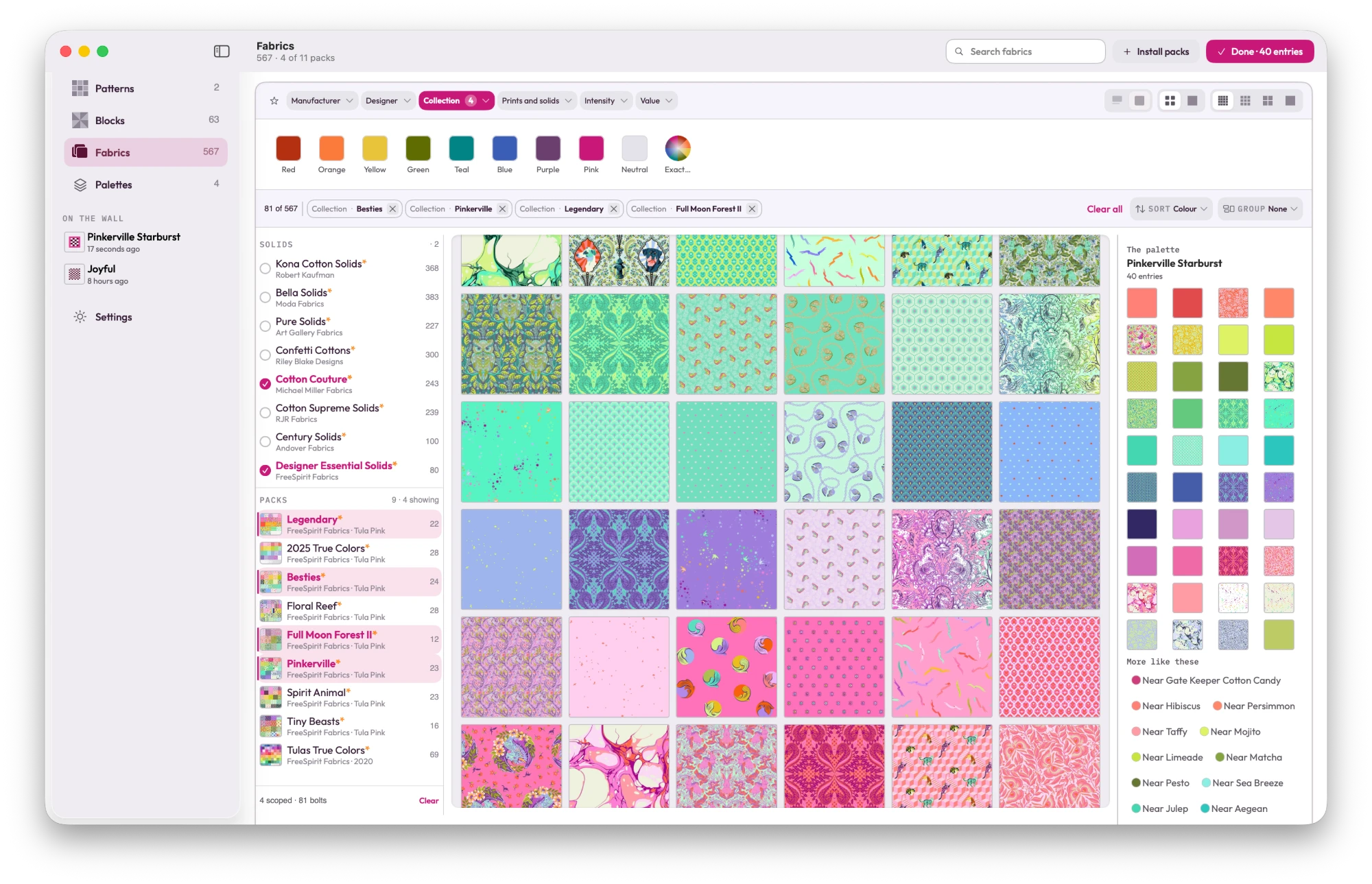
- Audition every fabric you own before you cut a single piece.
- Cut sizes come out of the geometry, in real fractions.
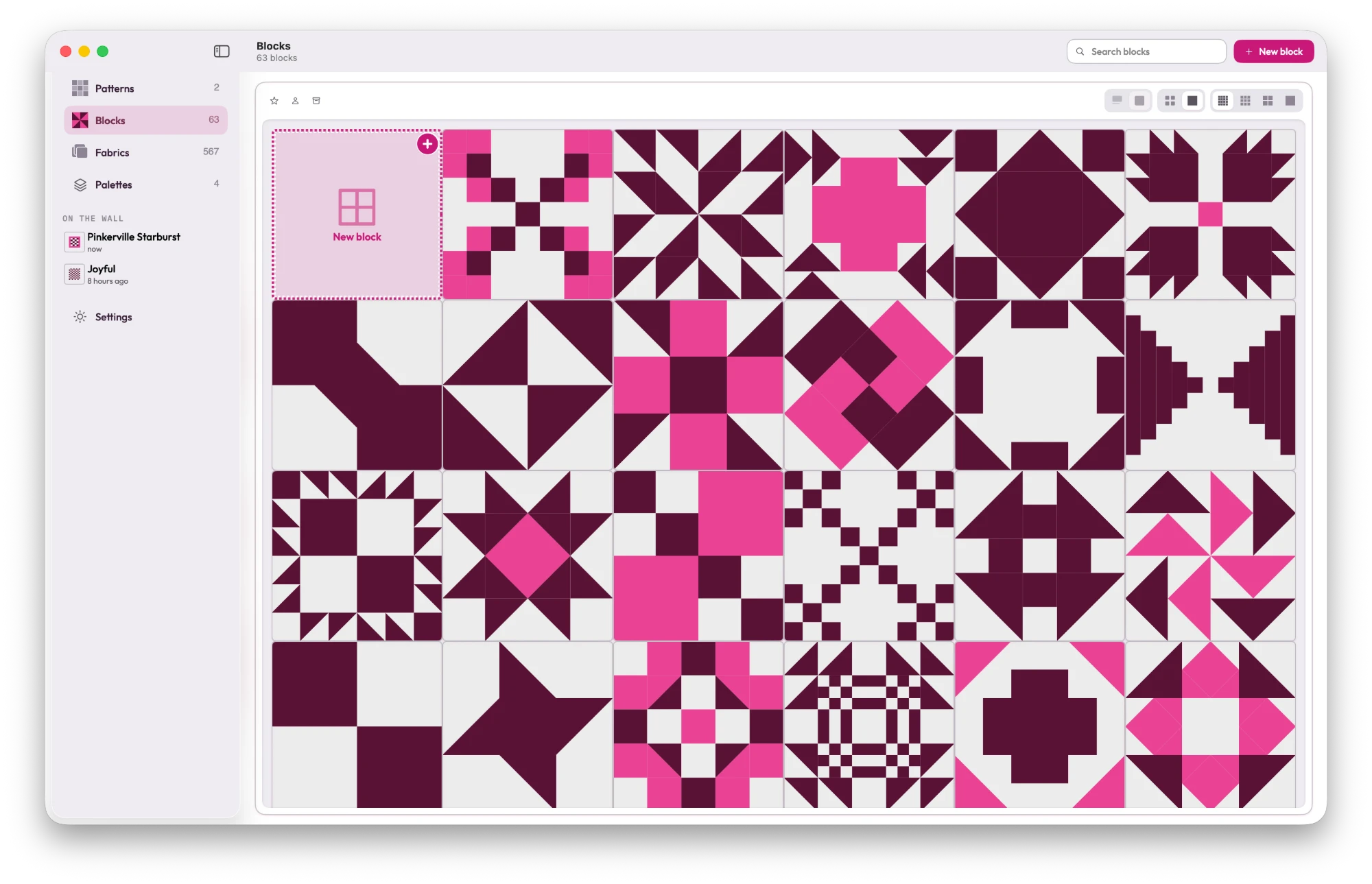
- A library of blocks, ready to color and resize.
- Coming too: bring in the digital PDF patterns you already own, and plan them in your own fabrics.
Six fabrics, all clearly different. Now drop the color out and look again.
What testing involves
A fair trade, we think.
What you get
- Early builds through Apple's TestFlight, before the App Store has it
- Free for the whole beta
- Your notes go straight to the people building it
What we ask
- Plan at least one real quilt in it
- Tell us what confused you, what broke, and what's missing — a sentence is plenty
- Tell us what you loved, too, so we know what to keep
What you'll need
- An iPad or iPhone on iPadOS or iOS 26, or a Mac on macOS 26
- Apple's free TestFlight app
- The email address you'd like your invitation sent to
Questions
Before you sign up
When does testing start?
By mid-October. You'll get an email with your TestFlight invitation when the first build is ready, and that's the start.
Does it cost anything?
No. Beta builds are free to install and use.
Do I need to be good with technology?
No. If you can install an app, you can test this one. We especially want to hear from quilters who don't love fiddly software.
What happens to my email address?
We use it for the beta and nothing else. Apple's TestFlight needs it to send your invitation.
Design it once. Cut it once.
Help us get it right first. Sign up, and we'll send your invitation when the first build is ready.
We'll only email you about the beta. Unsubscribe any time.