Sneak peek
A first look
Here's what's on the wall.
A few of the screens beta testers will be trying first: the fabric board, a quilt colored in, and the block library. Sign up and you'll be in there with us.
01 Fabrics
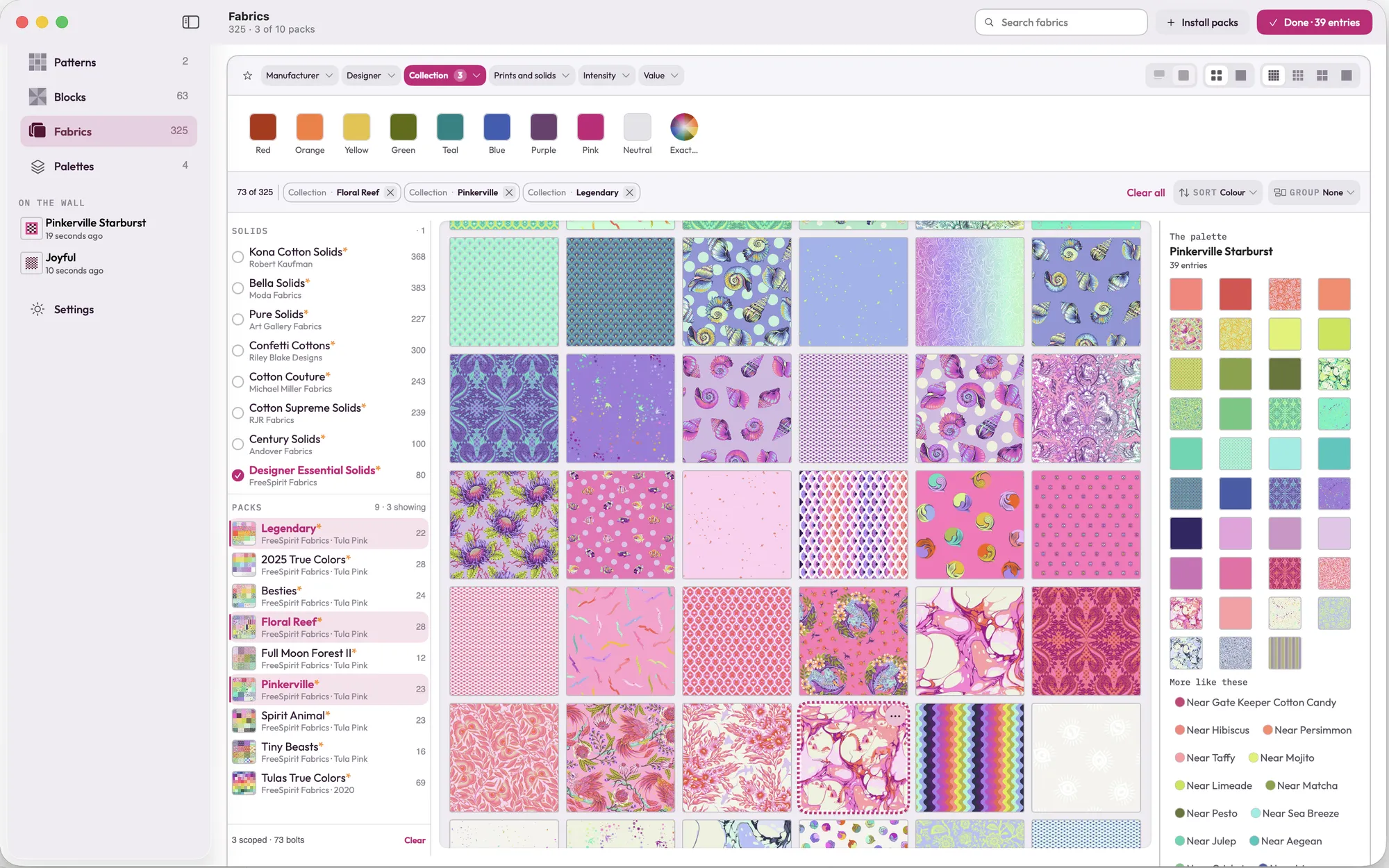
All the fabric, on one board.
Solids from Kona, Bella and more, and prints from designers like Tula Pink. Narrow them by color, maker or collection, and your quilt's palette sits right beside them.
02 Your quilt
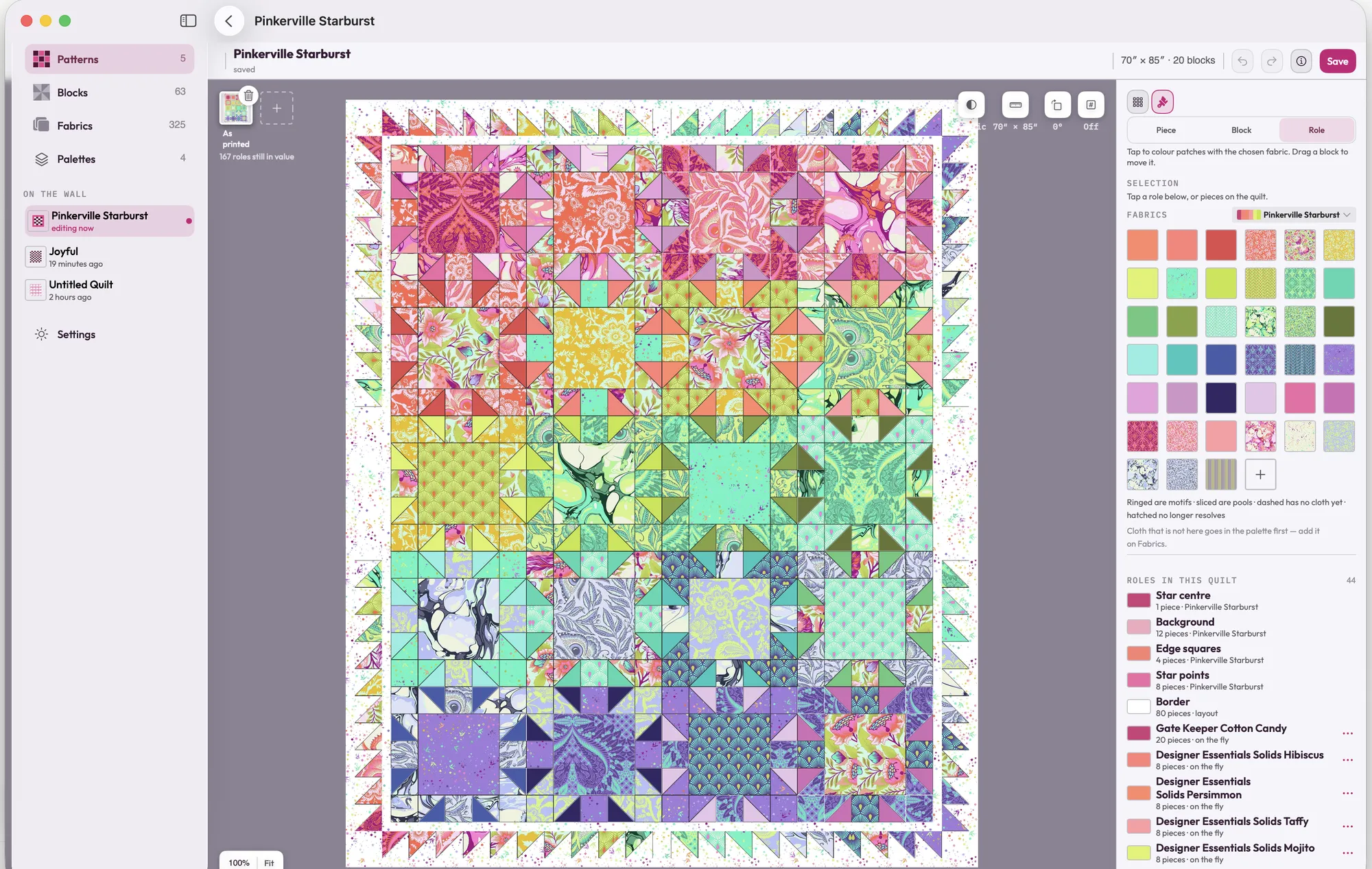
Color every piece, then change your mind.
Tap or click a patch to try a fabric in it, or give a whole role a new fabric at once. Nothing gets cut until you're sure.
03 Block library
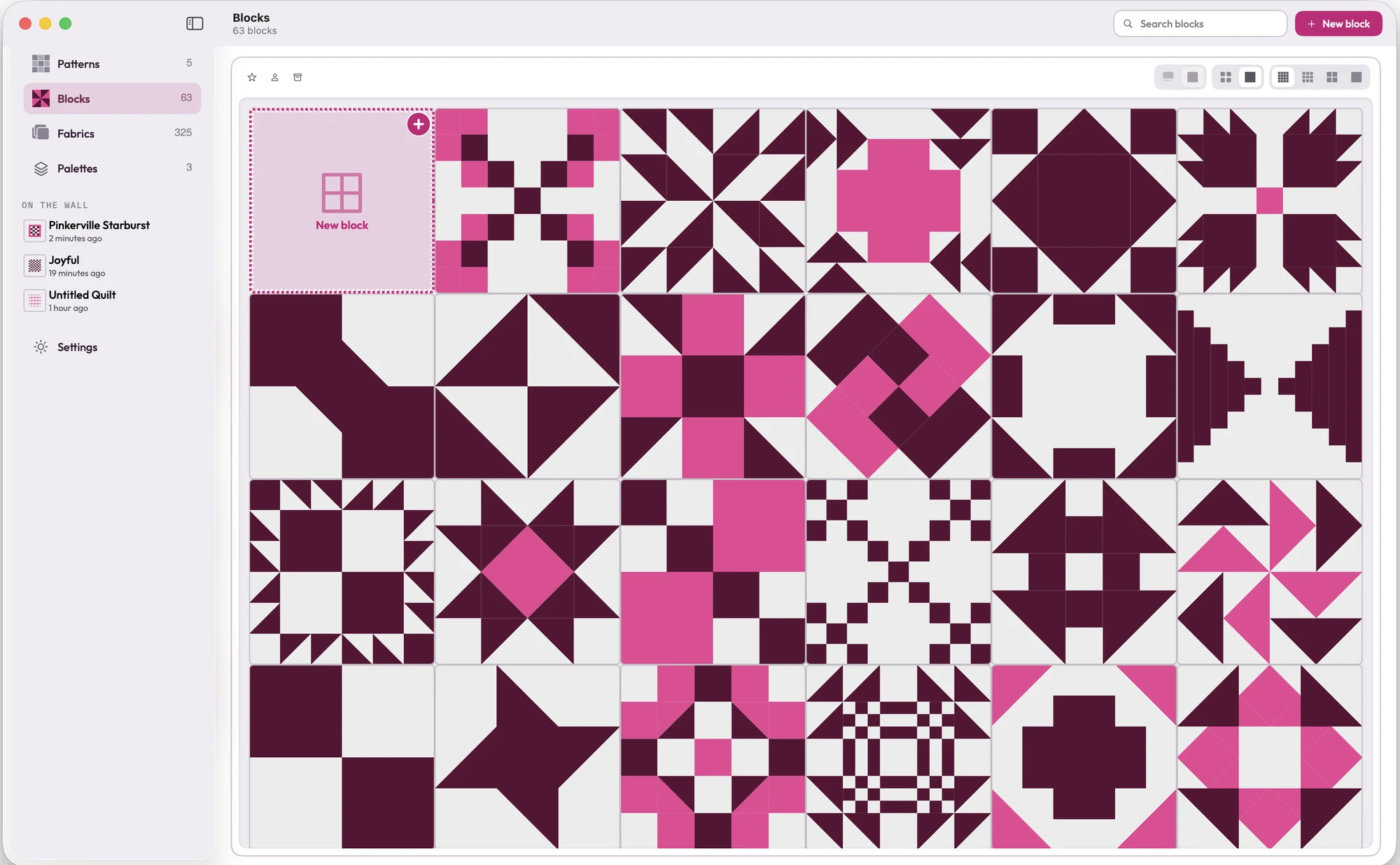
Start from a block you know.
Traditional blocks, drafted properly and ready to color and resize, each with its cutting sizes worked out for you.
Want to try it first?
Sign up to test Design Wall, and we'll send your invitation when the first build is ready.
We'll only email you about the beta. Unsubscribe any time.